Masung Printer
Materials
Information about compatible paper rolls:
Paper rolls: maximum width 60 mm, maximum roll diameter 80 mm, paper weight 55–60 g/m²
You can order the appropriate paper directly from us for the best results and maximum reliability for your application.
Installation
The printer is usually preinstalled when delivered. If you need to reinstall the Masung printer, follow these instructions.
Note: Install the printer while signed in to the iSign user account.
The printer driver is on the player PC in this directory:
C:\Designo\Drucker\MSW\Driver-V2-Normal-20200826
- Run
PrinterInstall.exefromC:\Designo\Drucker\MSW\Driver-V2-Normal-20200826.

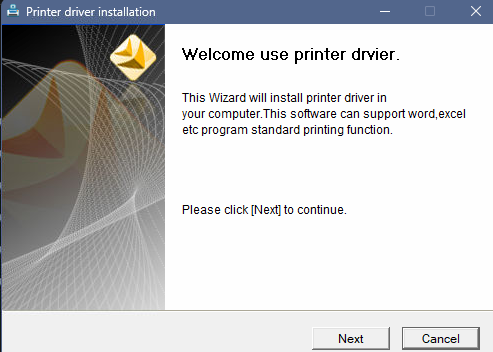
In Printer Config, set the following options:
-
Model: w58 (the default is w80)
-
Port: Use the listed port. It is usually correct, but may need to be changed in some cases (see below).
-
Set Default Print: Select this checkbox.
-
Print Test Page: Leave unchecked.
-
Startup Status Monitoring: Leave unchecked.
-
Click Install.
After installation, open the printer settings and configure the following options.
Printer Properties
Paper size assignment:
- Automatic: W58x257mm
Installable options:
Device Settings
- Black Mark Sensor: Off
- Page Cut Mode: Select the required setting.
- Feed At Page Starting: Select the required setting.
- Feed At Page Ending: Select the required setting.
(Recommended: 10 mm, which leaves a small gap at the cut.) - Doc Cut Mode: Full Cut
- Rotation Mode: 180
(The default is 0; at 0, the printout is upside down.) - Print End Doc Blank: Off
- Money Box: Off
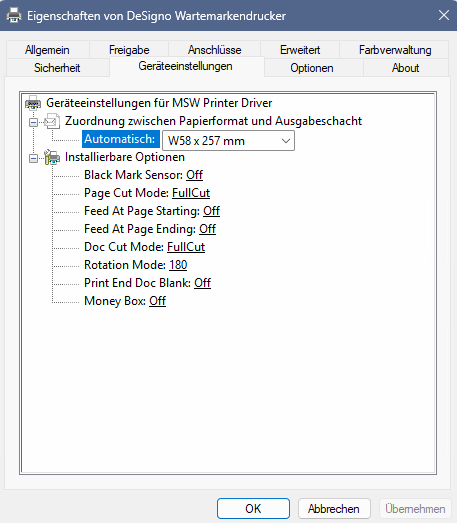
- Ports: Check that the correct port is selected.
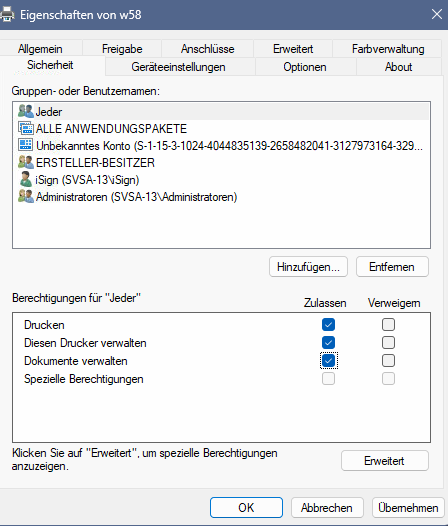
- Security: Under Everyone, select the required permissions.
Under Advanced, select Printing Defaults in the lower-left corner, then select Advanced there as well. Set the paper size to 58 x 257 mm.
- Confirm all settings with OK and close the dialog.
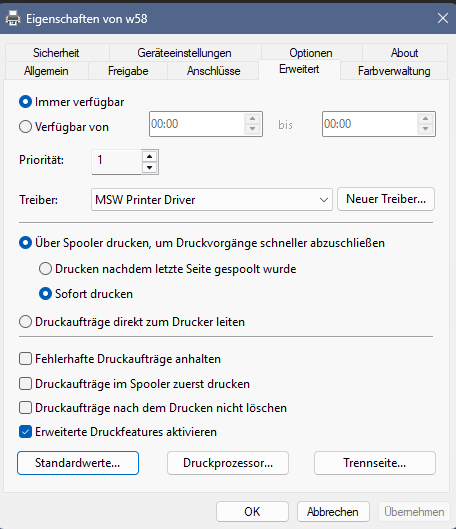
Printer Settings in the Driver
- Open Advanced.
- Set the paper size to W58x297mm (W58x257mm is also supported) and select OK.
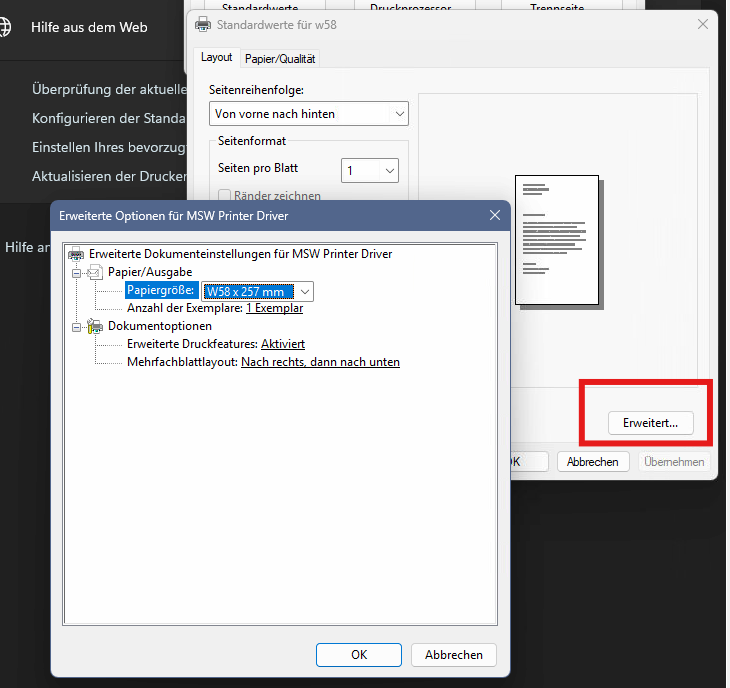
Close the printer settings.
- Check that the printer status is Default.
- Print a test page. If an error occurs, check the USB port in the printer settings and change it if necessary.
- Rename the w58 printer to DeSigno Queue Ticket Printer so that it is easier to identify.
Loading Paper
Press the blue lever on the left, feed in the paper, and close the cover. That is all.