Windows 11: Smart App Control Blocks iSign
Microsoft introduced Smart App Control to prevent apps that are not certified by the Windows App Store from running.
As a result, iSign may no longer install, or this may happen while iSign is already running.
If this occurs, disable Smart App Control. Find it under Settings > Privacy & security > Windows Security > App & browser control.
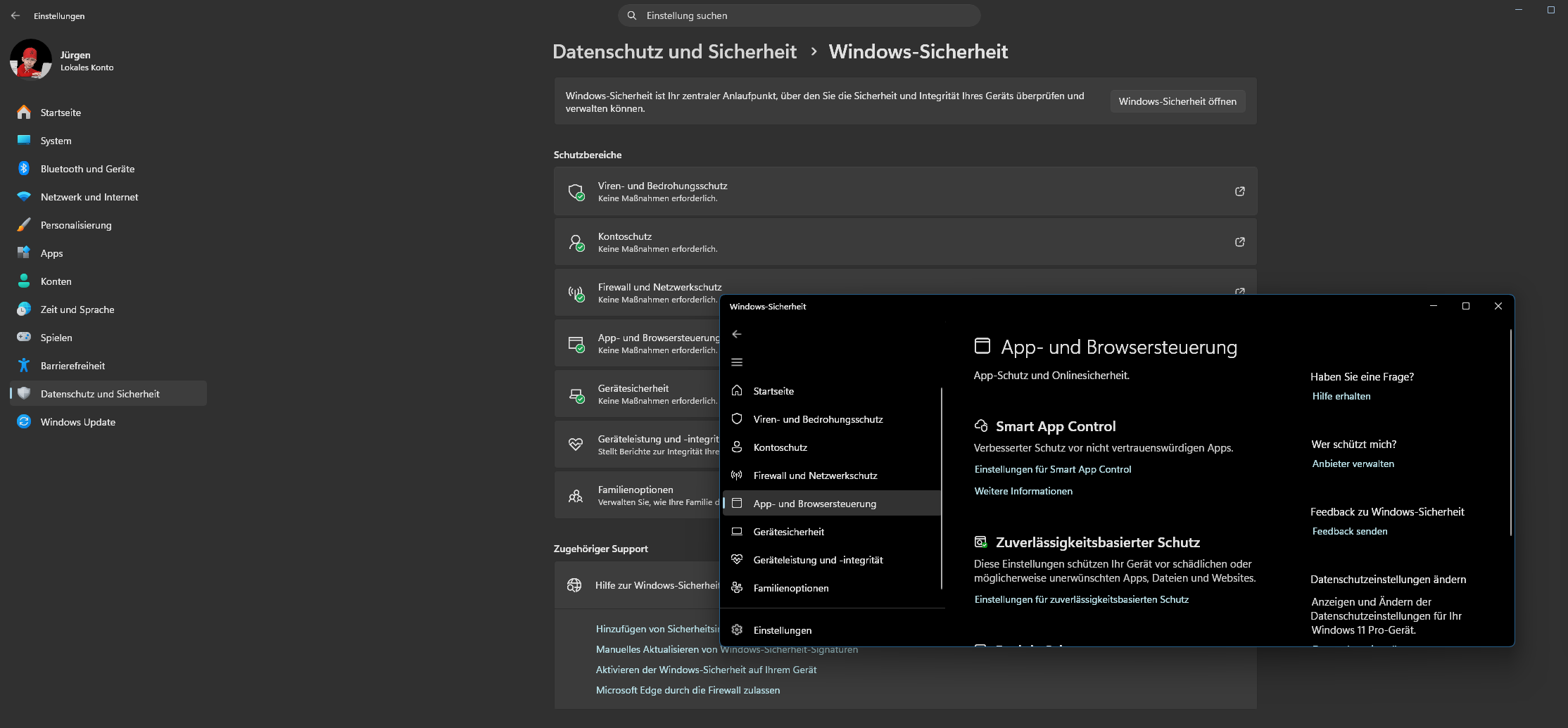
Open the Smart App Control settings and set them to Off. Confirm by selecting Yes, I'm sure.
You can then install iSign or continue using it.