Active Users in a Queue and Their Visibility After Inactivity
info
Available starting with iSign 9.
Signed-in users are displayed in the dashboard:
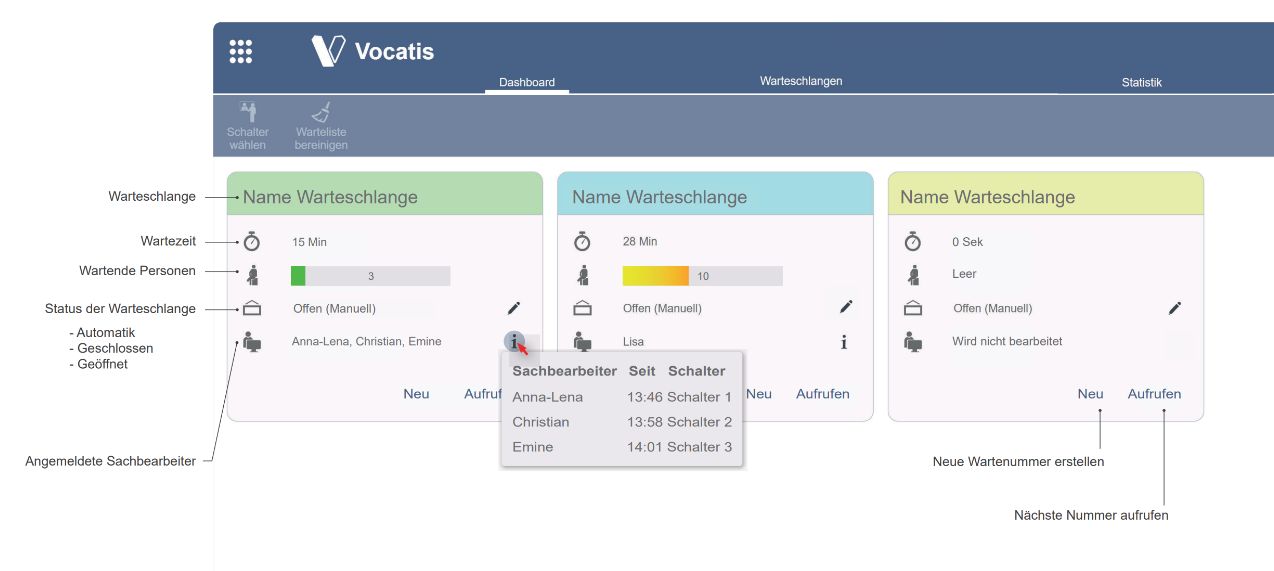
A user appears as active in a queue after performing an action in or related to that queue. For example:
- The user opens the queue.
- The user edits a number.
- The user calls a number.
- The user performs another relevant action in the queue.
When Does a User Disappear?
A user remains visible after their last action. If no further activity occurs within 5 minutes, the user is no longer shown as active and disappears from the queue display.