Administration
Silent Alarm lets users discreetly trigger an emergency alert without people nearby noticing.
1. Server Requirements
2. Install the iSign Server Software
3. Create Users
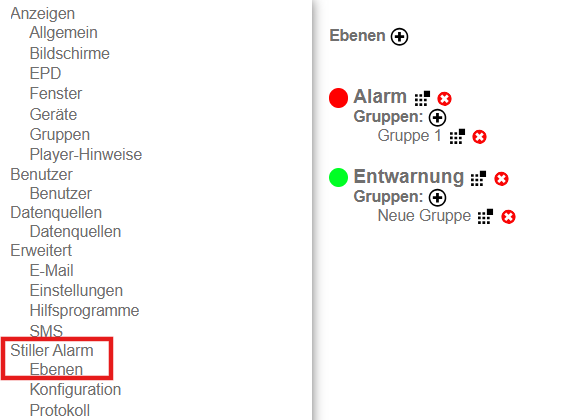
4. Configure Alert Levels
Manage levels and groups in Administration.
You can build the structure of your alert workflow flexibly:
- Add any number of levels and assign them to specific users or groups.
- Create the required groups in the first level.
- Assign individual users to their groups.
- Users can belong to multiple groups.
- Add groups or individual users to the remaining levels.
When a message is received, the name of the relevant level is displayed, for example, Alert. Alerts and messages are sent and received only within the same group.
5. Configure Display Duration and Sender Information
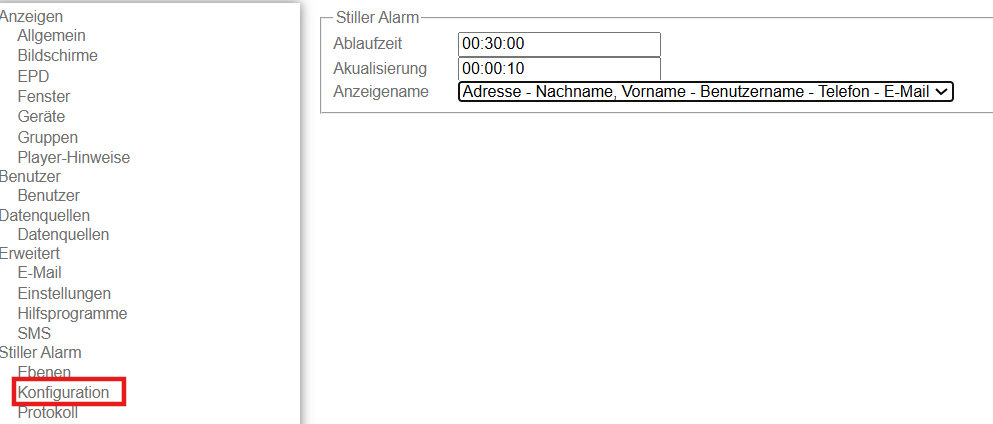
In Administration, configure how alerts are displayed and handled:
- Set the display duration to control how long an alert remains visible on the device.
- Set the refresh interval to specify how often the server checks for new messages.
- Select the alert sender information to control which details about the sender are shared with recipient groups.
6. Send Alerts by Email
In addition to displaying alerts on devices, you can also send them by email, for example, to notify specific recipients.
Email delivery for Silent Alarm
7. iSign Alert Windows Client
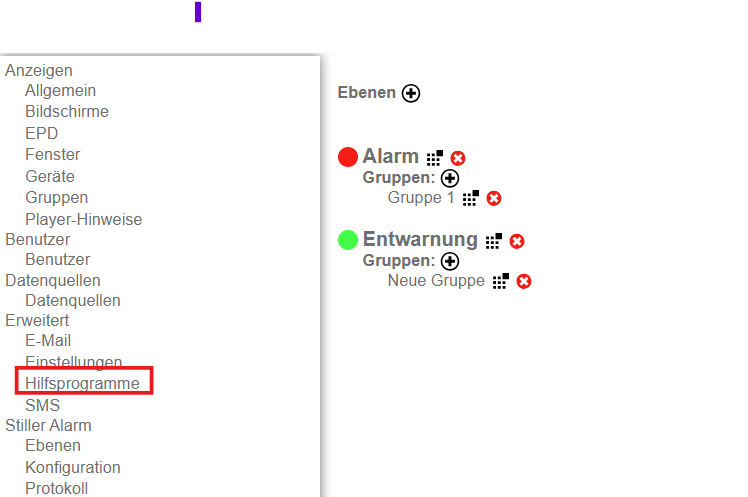
Install the Windows client to send and receive alerts.
Download the MSI package and install it on the desired device.
- Download the MSI installation package from the available download area.
- Run the installation with administrator rights.
- After installation, the application is available in the system tray, where you can send and receive alerts.
8. Log
Under Silent Alarm > Log in Administration, you can view the last 20 alerts that were triggered.