Printer
Template for queue ticket printers.
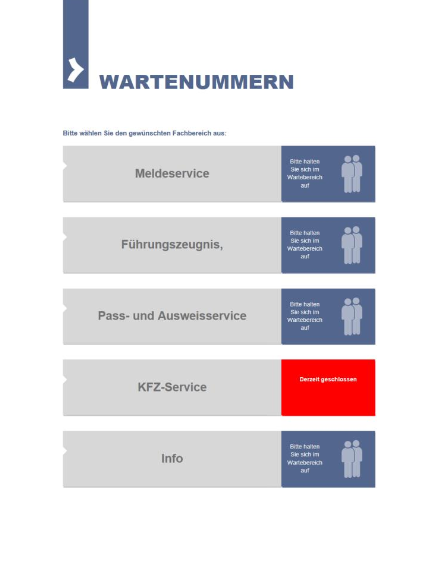
Use this template to configure the options visitors can select at the terminal. Each option is shown as a button. Based on the selection, the visitor is placed in the corresponding queue.
Open the template in the Library and select Edit. The view depends on the printer template you selected.
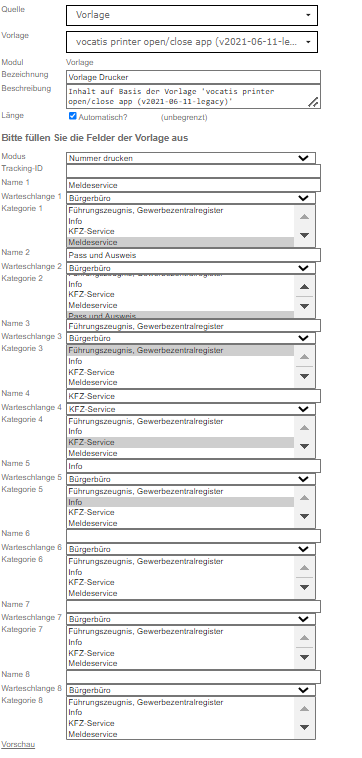
Configure these fields:
| Field | Description |
|---|---|
| Source | Select Template. |
| Template | Select the template you want to use. |
| Name | If you use a template more than once, change the name to make it easier to identify. |
| Description | Add a clear description to help distinguish templates and select the correct one. |
| Length | Set to automatic; this is the recommended refresh rate. |
| Mode | Choose whether to display or print the number. Usually, the number is printed. |
| Name 1 | Label for the first selection button on the touch monitor. |
| Queue 1 | Queue to which the number is assigned. |
| Category 1 | If categories are configured, assign one to Name 1 and Queue 1. The selected category appears next to the number in the queue. |
info
If a label is too long for the button, split it across two lines by adding a space after the hyphen.
Fill in the remaining fields in the same way.
The result may look like this: