Configure the Printer App for a Local Server
This article covers templates with app or internet features, such as Vocatis Printer with App, Vocatis Queue Ticket, and Vocatis Queue Info. If the iSign Server is on a local network, it is usually not accessible from the internet. The following configuration is required for the app to work reliably.
The local template URL and app URL must be configured together. Set the URL under Administration → Templates → Edit.
Example:
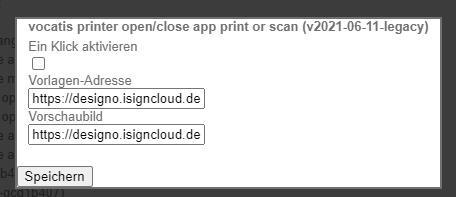
Forwarding the /FormsShow/* path is sufficient.
The URL must work both internally and externally.
Possible solutions:
- Make the entire server accessible from the internet.
- Use a reverse proxy.
Reverse Proxy
A reverse proxy forwards requests to a local server. You can use a modern web server, such as:
- Apache (reverse proxy guide)
- NGINX (reverse proxy guide)
- IIS (URL Rewrite)
We recommend using an SSL certificate.
The reverse proxy must also be accessible from the internal network.
Disable the reverse proxy cache.