Error: "License Is Not Sufficient to Run All Installed Modules"
Message
"The license is not sufficient to run all installed modules."
This message is displayed by default while a license has been loaded but not yet activated. If an activation error occurs after you load or activate the license and the message remains, follow these steps:
info
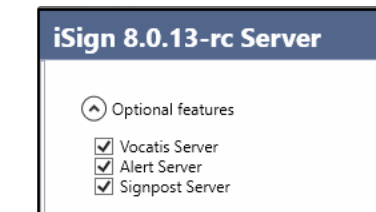
Check the installed modules:
- Check which modules are currently installed.
- Make sure that only modules covered by your license are selected.
| Module | Purpose |
|---|---|
| Vocatis Server | Queue management system |
| Alert Server | Silent Alarm |
| Signpost Server | Dynamic wayfinding system |
Solution
- Uninstall iSign completely.
- Reinstall the software with the modules you purchased.
- Restart the Configuration Assistant to load and activate the license.
info
If you use only E-Paper Displays, do not enable additional modules.