Web Interface
App Menu
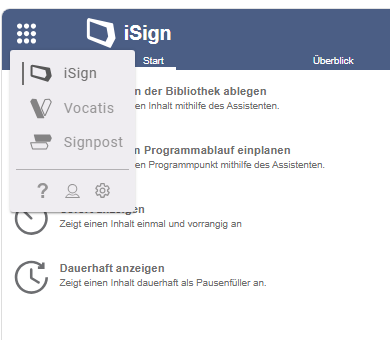
After starting iSign, first select the app you want to use. The app menu provides these options:
- iSign: Manage and configure digital door signs, information displays, and display devices.
- Vocatis: Manage and operate the Vocatis queue and visitor management system.
- Signpost: Create and manage wayfinding signs, maps, and signage elements.
- Help: Open the documentation.
- User: Sign out or change your password.
- Settings: Configure system parameters, connections, and general application settings.
Select the app for your use case. The corresponding workspace opens with its available features.
iSign
The sections are: