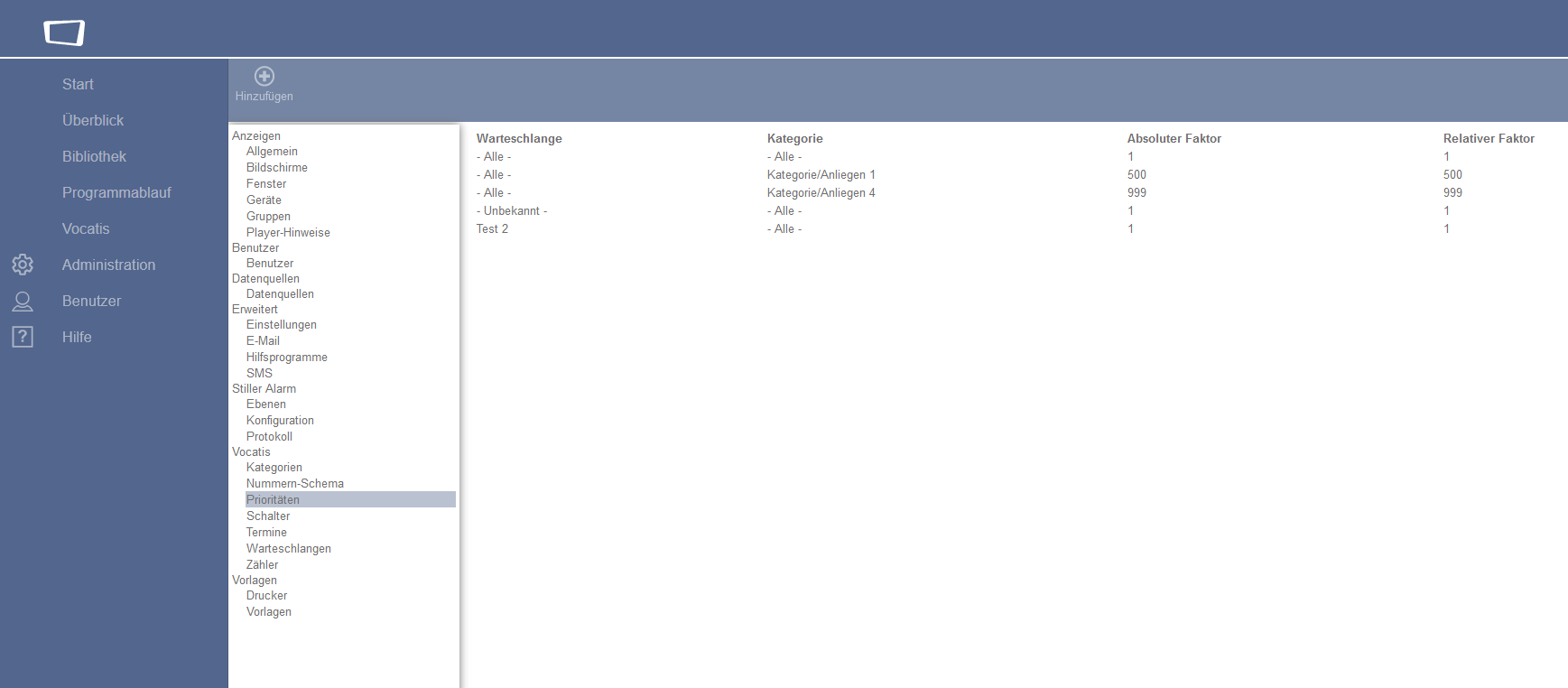
Priorities
The ticket with the highest weight is called next. This is usually the number with the longest wait, adjusted by the assigned factors.
Assign a Priority
Click Add to create a new priority.
Assign a higher priority to important requests, such as those from people requiring assistance, emergencies, or customers with appointments. These requests are handled first, which can significantly reduce their waiting time.
Prioritization uses a factor system to control queue order. General rules, such as a condition of ALL, apply only when no more specific priority matches.
Control Priority with Factors
Set an individual factor for each priority. The factor multiplies the waiting time, allowing you to prioritize specific requests independently of how long they have actually waited.
- The maximum factor is 999.
- Example: A ticket with a 1-minute wait and a factor of 999 is treated as if it had waited 999 minutes.
This allows you to fine-tune priorities to suit your workflows and average wait times.
Example: Prioritize Customers with Appointments
To prioritize online appointments, configure the priority as follows:
- Category: Appointments
- P_abs: 999
- P_rel: 0
Compare the weights:
| Ticket | Wait time | Factor | Weight (W) |
|---|---|---|---|
| Online appointment | 1 min | 999 | 999 |
| General visitor | 10 min | 1 | 10 |
Result: At their appointment time, the customer with an appointment is top priority.