Queues
Create Queues
Error: Data operation failed. Message: "Maximum queue count reached."
This means you have reached the maximum number of queues included in your license. You can purchase additional licenses for more queues.
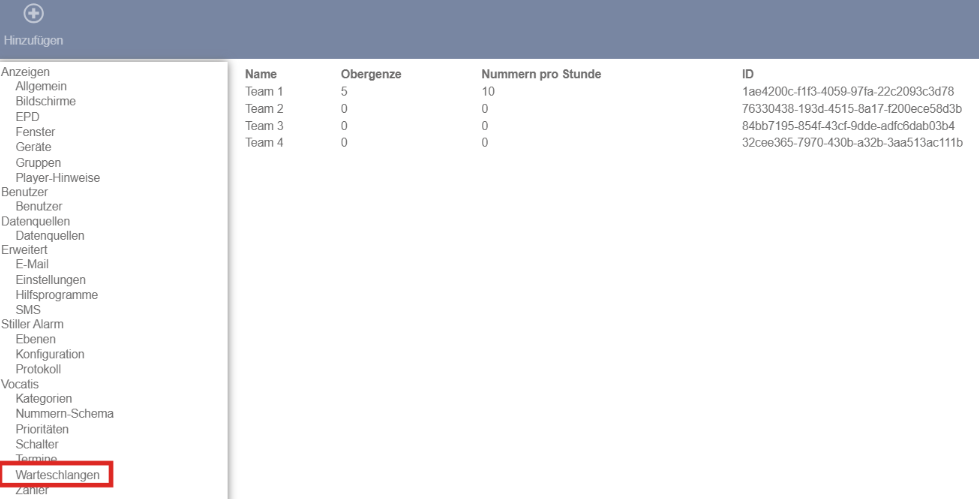
Click Add to create a queue.
Queue names are for internal reference only.
When creating a queue, you can optionally set the maximum number of tickets to issue per day or per hour. When the limit is reached, ticket issuance at the terminal closes automatically.
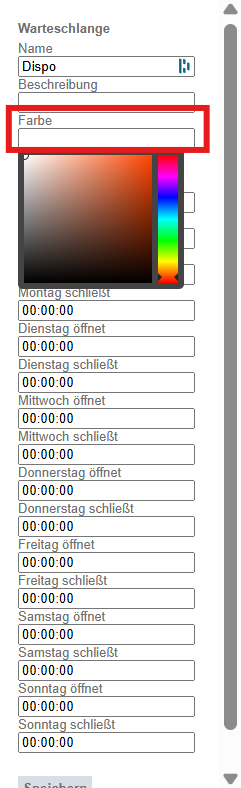
Set opening and closing times for each day of the week.
You can assign a color to each queue to make them easier to distinguish in the web interface.
Choose a light color. Strong colors can make text difficult to read.
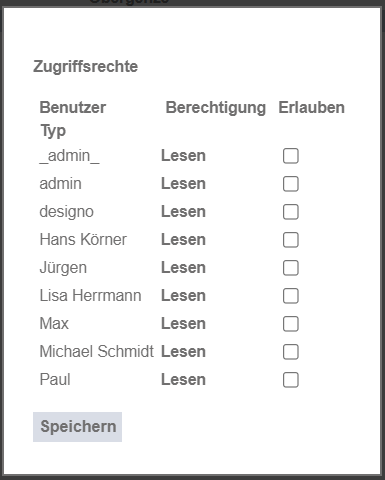
Queue Access Rights
Users can view, edit, and forward tickets only in queues they are authorized to access. Forwarding a ticket requires access to the destination queue.