Error: "This Operation Has Been Canceled Due to Restrictions in Effect on This Computer" in Kiosk Mode
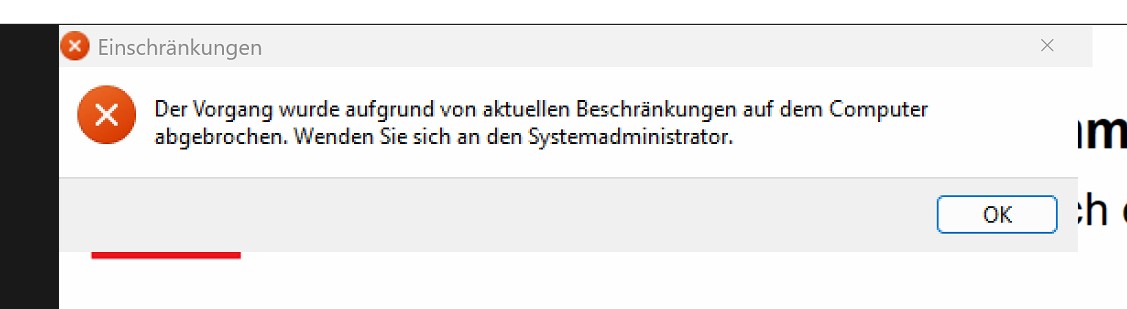
On some Windows PCs running in kiosk mode, the error "This operation has been canceled due to restrictions in effect on this computer" may appear after startup. It usually occurs after a restart. In some cases, the message is hidden in the background and becomes visible only during remote maintenance or after pressing Alt+Tab. The system may otherwise appear to continue running at first.
On systems using English as the system language, the message is "This operation is canceled due to restrictions in effect on this computer. Please contact your system administrator."
When Does the Problem Occur?
- On Windows systems with kiosk mode enabled and an older Windows version
- Often after restarts
- Sometimes on customer systems that have been running for a long time, not only on new installations
Cause
This is a known issue in some Windows versions. It was fixed in Windows builds 26100.7705, 26200.7705, and later.
Recommended Solution
If the error appears on an affected system, try the following steps first:
- Sign in to the affected device using an administrator account.
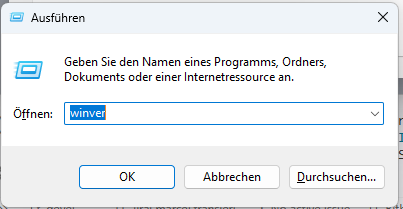
- Check the Windows version. Press
Win + R, enterwinver, and check that the system is up to date.
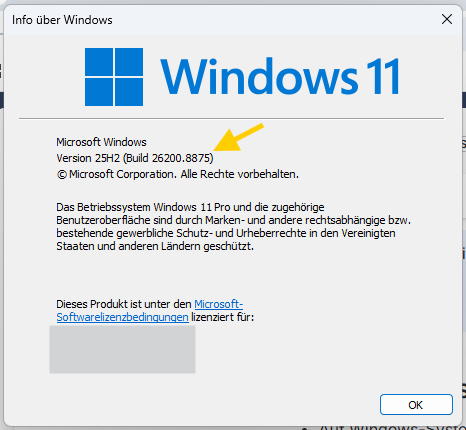
The version number must be 26100.7705 or 26200.7705, or later. If the version is lower, update Windows first, then start this troubleshooting procedure again. - Open the iSign Player configuration as an administrator.
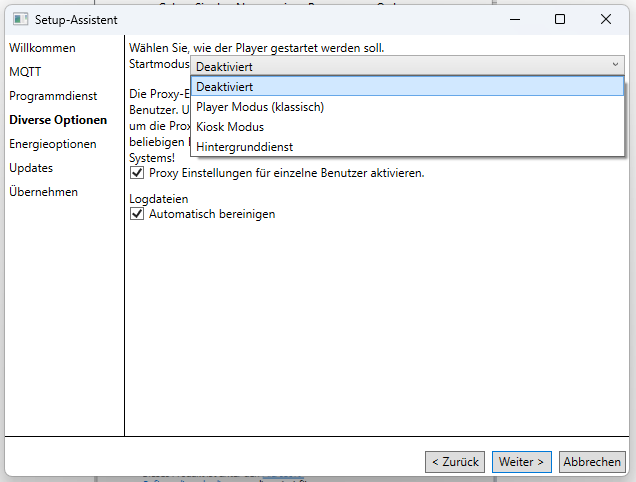
- Disable the player or kiosk mode. Select Disabled in the configuration.
- Restart the client.
- Sign in again using the administrator account.
- Open the iSign Player configuration again as an administrator.
- Enable kiosk mode again.
- Restart the client once more.
- Check whether the error has disappeared. If necessary, after startup sign in to the player account and press
Alt+Tabto check for a background window containing the message.