Why Doesn't the iSign Player Appear in the Player Notifications?
- Test the connection in the player browser. While signed in as the
iSign_Playeruser, open the iSign web interface URL in the player's browser and confirm that it loads. - Make sure the server certificate is trusted.
- If the server uses a self-signed certificate, import it into the certificate store (trust store) on each player.
- After importing it, the player's browser must recognize the certificate as trusted.
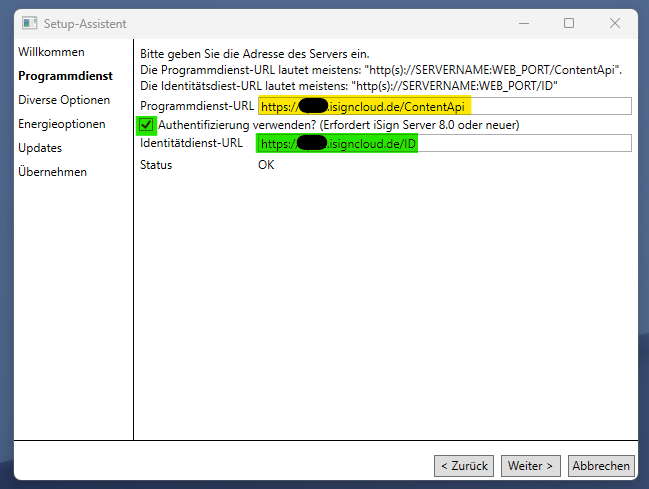
- Check the URLs in the Setup Assistant.
- Start the iSign Player Setup Assistant.
- Make sure the Program Service URL and Identity Service URL are correct.
- Both entries must show the status OK.
info
If the player PC still does not appear in the player notifications, run the analysis tool on both the server and the player, then send us the resulting files.